Plan before write
Every write command starts as a JSON plan that Claude Code, Codex, CI, or a human can review before execution.
Lily 0.2.0 supports Apple Ads Platform API 1.0 for campaign workflows and authenticated live reporting. Plan campaigns, review JSON dry-runs, and connect spend to keyword-level revenue and ROAS.
brew install crevas/tap/lilyadslily --provider platform ads plan create \
--country US \
--daily-budget 300 \
--bid 3.00 \
--cpa-goal 2.00 \
--exact-keywords "photo editor,ai photo" \
--negative-exact "wallpaper,jobs" \
--creative product-page:pp_123Different by focus
Apple Ads managers think in launches, countries, budgets, CPA goals, creative routes, and payback. The CLI should speak that language.
Every write command starts as a JSON plan that Claude Code, Codex, CI, or a human can review before execution.
Reports can call Lily Ads Revenue Analytics so campaign decisions are tied to paid users, profit, and ROAS.
Create the campaign package you mean, not a pile of raw endpoint calls stitched together by an agent.
Lily 0.2.0 added campaign workflows and authenticated live reporting; Lily 0.2.2 adds SDK-aligned keyword, phrase, category, target CPA, budget, popularity, impression-share, and change-history queries. v5 remains available.
Lily advantage
A free Apple Ads CLI gets developers into the workflow. Lily Ads Revenue Analytics turns those same commands into paid-user, profit, and ROAS decisions.
Ask an agent to launch a US Apple Ads plan.
Review the JSON dry-run with campaign, ad group, keywords, negatives, CPA, and creative.
Approve execution only when the plan matches the business intent.
Pull spend plus Lily revenue to understand ROAS and paid-user quality.
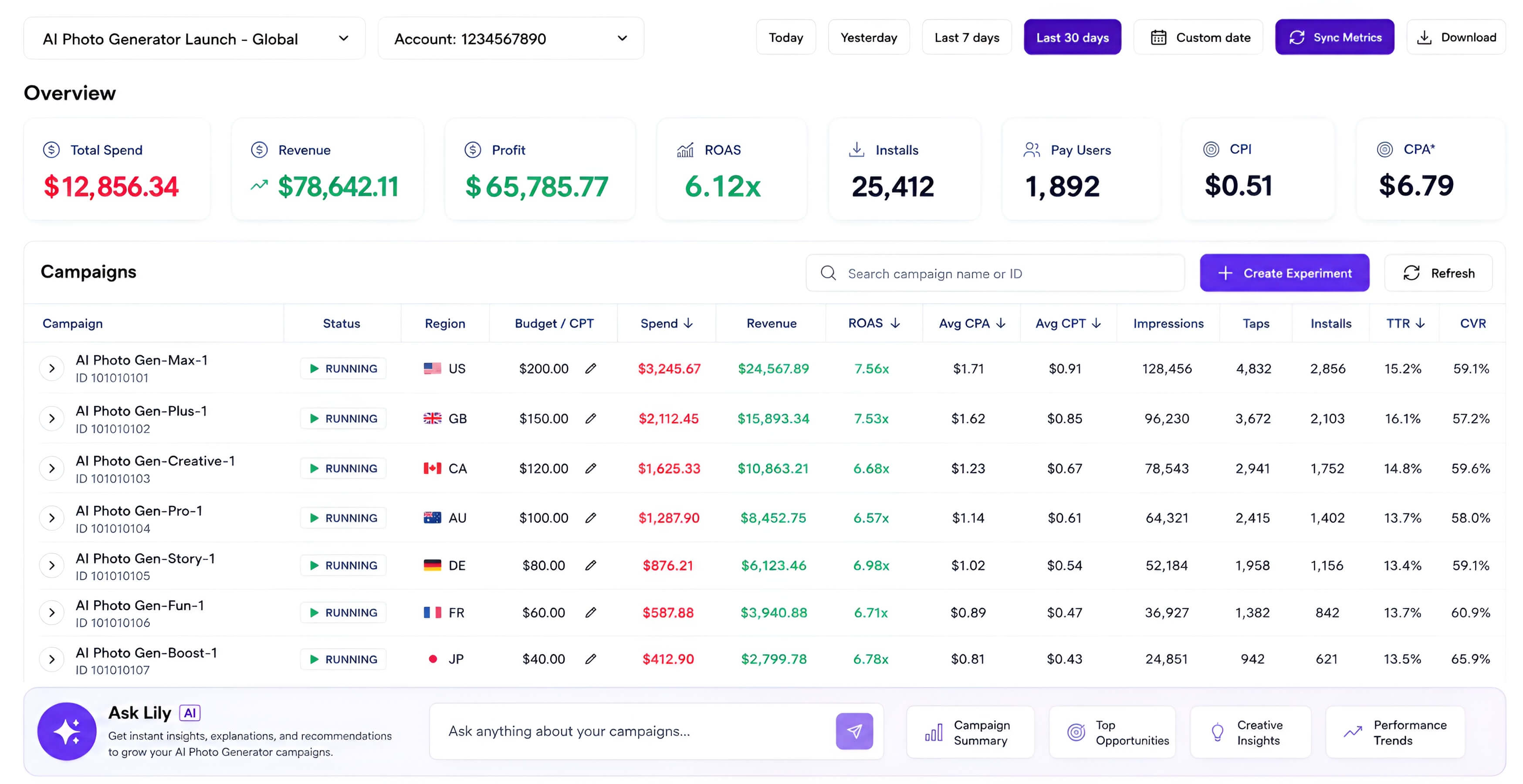
lily ads reports campaigns --app-id 999999999

{
  "appleAds": { "spend": "$12,856" },
  "revenue": { "source": "Lily Ads Revenue Analytics" },
  "roas": "6.12x"
}
Lily versus asc
The point is not to replace asc. The point is to own the Apple Ads workflow where revenue, creative, bids, and Platform API migration all meet.
Broad App Store Connect automation across releases, TestFlight, metadata, signing, analytics, and Apple Ads.
Apple Ads only, with deeper campaign planning, revenue enrichment, creative routing, and migration logic.
Endpoint-rich command tree for many App Store Connect jobs.
Business-first commands that create a campaign, ad group, keywords, negatives, CPA goal, and creative in one plan.
Great general-purpose automation surface for coding agents.
JSON dry-runs by default, explicit confirmation for writes, and prompts that map to growth decisions.
Manages Apple Ads objects and reports.
Connects Apple Ads spend to Lily Ads Revenue Analytics so agents can explain paid users, profit, and ROAS.
Useful for current Apple Ads API access inside a larger toolkit.
Supports Apple Ads Platform API 1.0 today, with v5 retained for migration compatibility and SDK-aligned opportunity commands in Lily 0.2.2.
Lily CLI is an independent Apple Ads-focused CLI and analytics tool for Apple Ads. It is not affiliated with Apple Inc. “Apple” and “Apple Ads” are trademarks of Apple Inc.
Platform API 1.0 — supported now
Authenticated reporting and SDK-aligned opportunity queries are available through Apple's v1 endpoint. Use the platform provider today; v5 stays available until migration, ahead of its January 26, 2027 retirement.
See what Platform API 1.0 unlocks for advertiserslily ads platform readinesslily --provider platform ads reports campaigns --app-id 999999999lily --provider platform ads suggestions keywords --app-id 999999999 --countries USlily --provider platform ads suggestions phrases --app-id 999999999lily --provider platform ads insights search-term-popularity --country US --genre Travelbrew install crevas/tap/lilyads
# or
curl -fsSL https://www.chatlily.ai/apple-ads-cli/install | bashFrequently asked questions
The short version: local keys stay local, the CLI stays open, and revenue analytics is the commercial layer.
Free core CLI, Lily revenue layer when you need ROAS