Realice un seguimiento de sus ingresos de Apple Ads
Realice un seguimiento de qué campañas y palabras clave atraen clientes para que pueda hacer crecer su negocio de aplicaciones rápidamente.
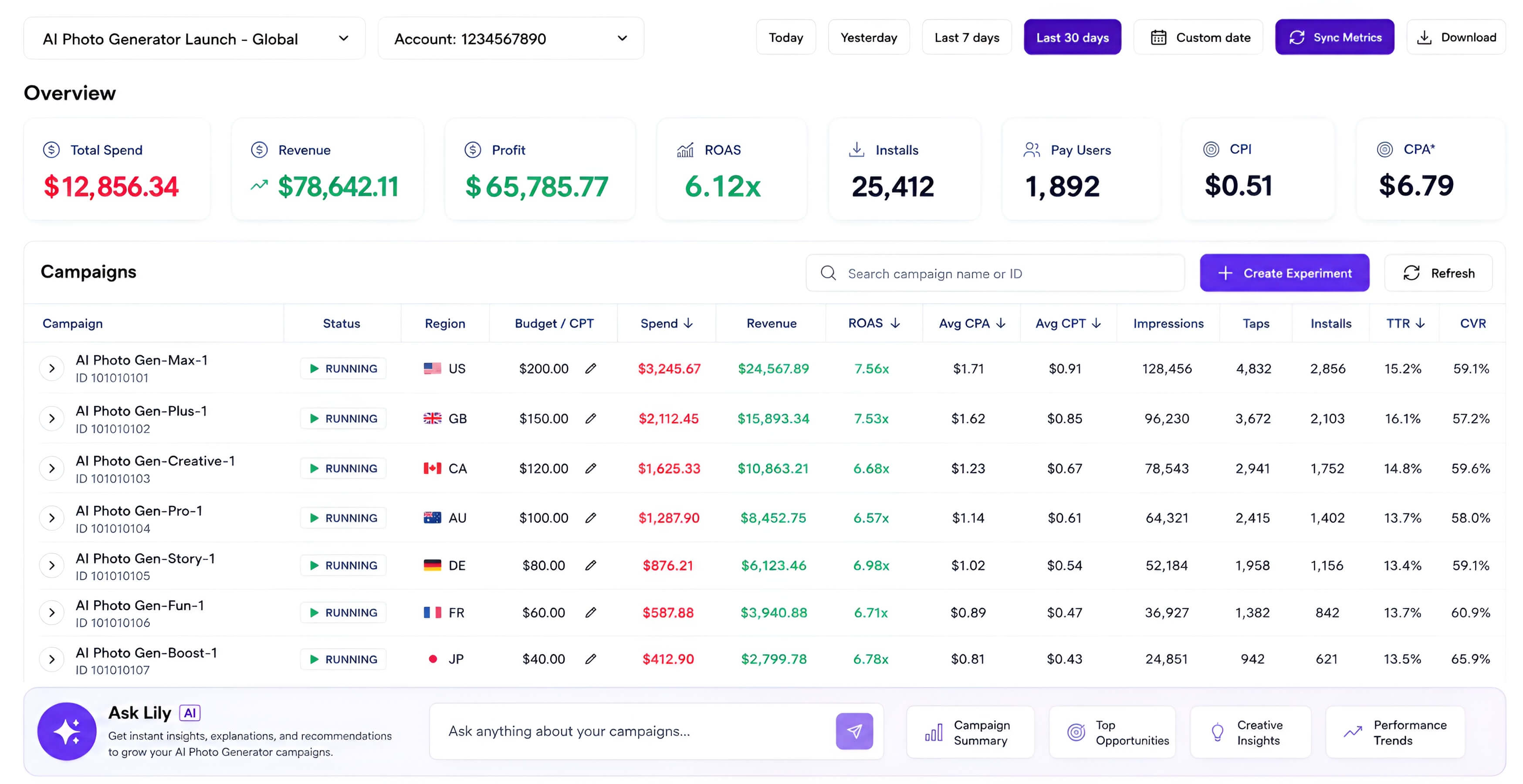
Deje de pagar por palabras clave Apple Ads que generan $0 de ingresos.
Apple Ads muestra el gasto, no los ingresos del cliente
Las campañas, los países y las palabras clave parecen ocupados hasta que los relaciona con suscripciones y compras.
RevenueCat o AppsFlyer generan ingresos, pero no su capa de decisión publicitaria
Aún necesita unir los datos de gastos y transacciones antes de saber qué escalar, pausar o observar.
El análisis CSV manual no complica
Exportar archivos a una ventana de chat es útil una vez. Un dashboard que rastrea las mismas uniones todos los días es apalancamiento.
Lo que dice el desarrollador
Lily shows which Apple Ads keywords actually create revenue. Dejamos de alimentar términos de ingresos cero y trasladó el gasto a campañas con usuarios de pago.

RevenueCat y Apple Ads finalmente viven en un solo lugar. El dashboard lo hace obvio qué grupos de palabras clave merecen más presupuesto sin otra hoja de cálculo.

Ask Lily convierte la optimización de Apple Ads en un breve ciclo de revisión. Podemos revisar los ingresos por palabra clave. luego ajuste las ofertas y los presupuestos con confianza.

Obtenga dashboard, lo primero en ingresos en 1 minuto.
Añade tu aplicación
Pegue su enlace App Store para que Lily pueda ubicar dashboard en el producto correcto.
Conecte RevenueCat o AppsFlyer
Autorice RevenueCat o AppsFlyer para que Lily pueda leer los datos de clientes e ingresos de esta aplicación.
Conectar Apple Ads
Otorgue acceso a la API Lily Apple Ads para que los datos de gastos, campañas, palabras clave y países puedan relacionarse con los ingresos.
lo que obtienes
Campaña y palabra clave ROAS
Vea qué campañas y palabras clave de Apple Ads realmente atraen clientes de pago, no solo visitas o instalaciones.
Desempeño a nivel de país
Realice un seguimiento del gasto, los clientes, los ingresos y ROAS por país para que los movimientos presupuestarios sigan los mercados más fuertes.
Escalar y matar señales
Detecte los ganadores que vale la pena plantear y las palabras clave derrochadoras para hacer una pausa antes de que agoten silenciosamente el presupuesto.
Cómo esto se mantiene seguro para ti
Precios
Connect your app and see one real result from your data before choosing a paid plan.
Lily Starter
Lily Plus
Lily Pro
No card is required for the preview. Billing starts when you choose a plan.
Preguntas de los desarrolladores
¿Tengo que dejar que Lily ejecute mis campañas Apple Ads?
No. Lily le brinda un espacio de trabajo conveniente para revisar los ingresos por palabras clave mientras ajusta las campañas, y aún puede administrar todo en Apple Ads dashboard cuando lo prefiera.
¿Por qué conectar RevenueCat o AppsFlyer primero?
RevenueCat o AppsFlyer suministra la capa de clientes e ingresos. Apple Ads proporciona datos de campaña y gastos. Lily los une en un dashboard.
¿Qué dimensiones puedo analizar?
dashboard está diseñado en torno al rendimiento de la campaña, las palabras clave y el país de Apple Ads, con los ingresos de RevenueCat asociados a esas señales de adquisición.
¿Cuánto tiempo lleva la configuración?
Después de conectar RevenueCat y Apple Ads, Lily inicializa la primera sincronización de dashboard en aproximadamente 1 a 24 horas.
¿Puedo revocar el acceso?
Sí. Puede revocar el acceso a Apple Ads de Apple y la autorización a RevenueCat de RevenueCat en cualquier momento.
¿Puedo administrar Apple Ads con AI?
Sí. Puede utilizar el Ask Lily integrado para administrar y optimizar Apple Ads de forma masiva. Próximamente también podrá conectar su espacio de trabajo AI habitual, incluidos Codex, Claude Cowork, Claude Code o ChatGPT.
Realice un seguimiento de sus ingresos de Apple Ads.
Conecte RevenueCat o AppsFlyer y Apple Ads y luego vea qué campañas y palabras clave atraen clientes.
Agregar mi aplicación